Last Updated on February 3, 2026 by Christopher Nelson
Microsoft officially ended support for Windows 10 on Tuesday, October 14, 2025; however, there is an option for those not ready to make the jump to Windows 11.
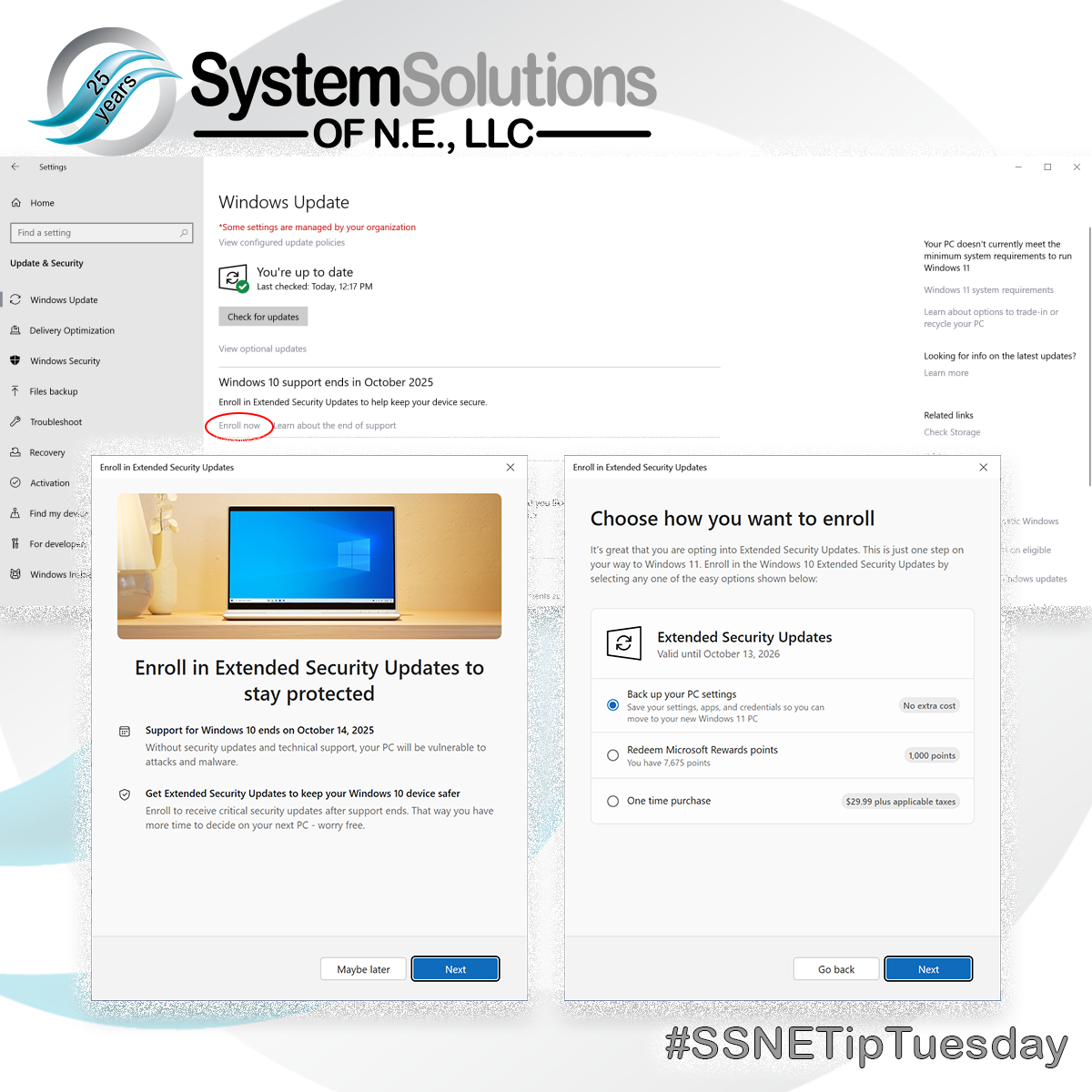
By enrolling in the Extended Security Updates (ESU) program, Windows 10 users will still get updates until October 13, 2026.
The only caveat is there is a different program for commercial devices (Kiosks, devices joined to an Active Directory domain or Mobile Device Management, and devices that already have an ESU license.)
There are three ways to enable the service; back up your PC Settings, redeem Microsoft Rewards points, or make a one-time purchase of $30.
But wait, there’s more … If you have more than one computer that needs the extended support, you can enroll up to 10 devices using one Microsoft Account.
Of course we are here to help if you run into trouble enrolling or if your anti-virus is hogging valuable system resources or you don’t have one, and/or need a backup solution contact us!
To get ESU on your Windows 10 device:
- Go to Settings > Update & Security > Windows Update. If your device meets the prerequisites, you’ll see a link to enroll in ESU.
- Once you select Enroll now you’ll start the ESU enrollment. If you are signed into Windows with a local account, you will be prompted to sign into your Microsoft account. If you are already backing up your PC Settings, you will see a prompt to enroll your device.
- If you aren’t backing up your Windows settings, you can choose if you want to begin backing up your settings, redeem Rewards, or make a one-time purchase to enroll in ESU.
For more information: https://www.microsoft.com/en-us/windows/extended-security-updates