While this once complicated question has become easier and easier to answer as of late, there are some things to consider.
For the most part, the Windows version you use is up to you, your computing needs, and your hardware … for now.
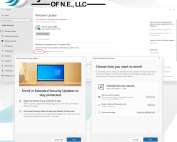
If you have an older system running Windows 10 be sure to sign up for the Extended Security Updates program (click here for more info). By enrolling, you can get updates through October 13, 2026.
Keep in mind that anything other than 22H2 has expired. It’s also important to note that anything older than Windows 10 makes it harder and harder for us to service and/or upgrade.
As far as Windows 11, Microsoft has made, arguably, the most significant change in the history of the operating system. While you may have noticed things that are different from version to version, there have been a few major adjustments that are behind the scenes. Windows 11 now comes with strict hardware requirements, particularly what CPU is being used and if a security feature (Trusted Platform Module (TPM) version 2.0) is available. This means most older computers will need to be replaced.
At a minimum, Windows 11 users should have 24H2 installed as it will be supported until October 13, 2026. There is also 25H2 which began on September 30, 2025 and will end on October 12, 2027.
The first two versions, 21H2 and 22H2, expired on October 10, 2023 and October 8, 2024, respectively.
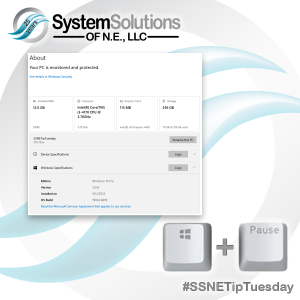
There are many ways to determine which version of Windows you have and, arguably, the easiest is by using the Windows Key + Pause Key combination.
Updated: February 10, 2026